OurGroceries does one thing better than most apps: the list is always synchronized and always there.
We used it for two years. Not once did it lag, lose data, or show outdated information. When my wife added something on her way home, I saw it instantly at the store. That part genuinely works.
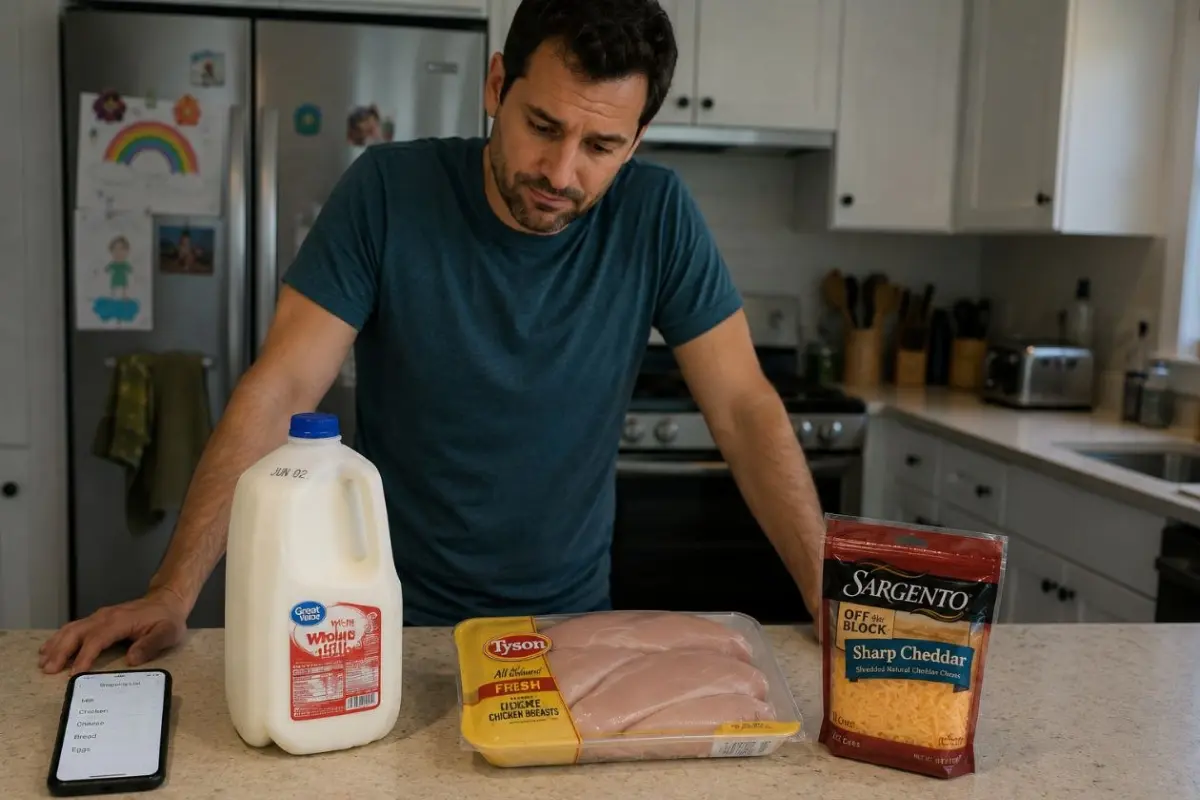
But one evening I opened the fridge and realized I'd bought the wrong cheese for the third time.
Not because I forgot to put cheese on the list. It was there. But "cheese" on a list and "Tillamook yellow block, small size, because our daughter won't eat sliced cheese or any other brand" are two different things.
That was the moment I realized we didn't have a shopping list problem. We had a family memory problem.
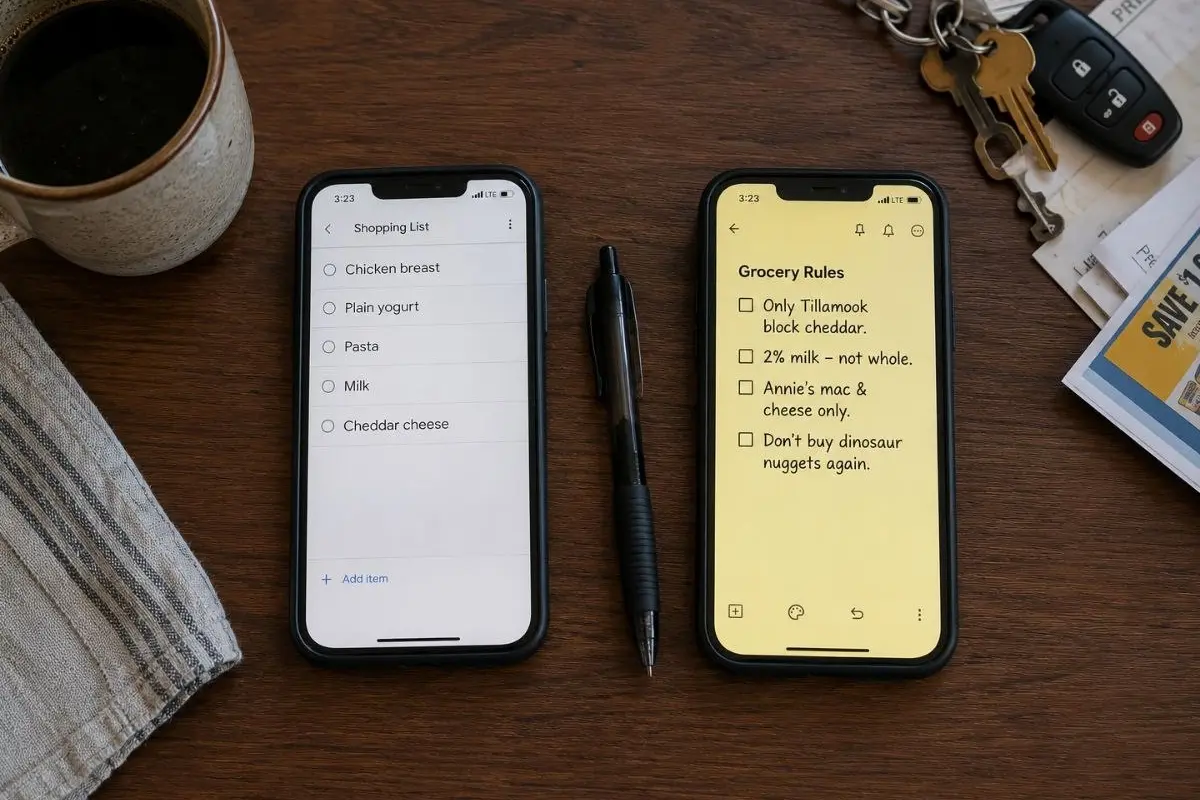
That's when we started keeping a second list in Google Keep.
- Our daughter only eats Tillamook block cheddar.
- Don't buy dinosaur nuggets again.
- Dad prefers 2% milk.
- GoGo Squeez apple only.
Many parents end up with some version of this list. Almost none of them have it in their grocery app. We wrote about this pattern in more detail here: The grocery app that actually remembers what your family likes.
What AnyList does well
Before talking about alternatives — honestly about what works.
AnyList is one of the best meal planning apps for families who cook from recipes. Import from any website works reliably. The shopping list generates automatically and merges duplicates. The interface is clean and intuitive. For anyone who wants an automatic grocery list from a weekly meal plan — it's hard to find better.
But there's a line where AnyList stops.
Where the recipe ends and the real family begins
A recipe operates in abstractions. "Chicken breast." "Plain yogurt." "Pasta."
A real family operates in specifics. That chicken or no. That yogurt or it comes back untouched. That pasta or there's a fight at the table. The same limitation appears when introducing new foods to a baby — recipes don't remember what each child has already tried. If you're looking for a baby food tracking app that actually remembers which products each child accepted, that's a different tool entirely.
Across parenting communities, the same frustrations come up again. Recipe-based lists don't specify brands, fat percentages, or the products each child actually accepts. A partner sent to the store with a list that says "milk" has no way of knowing whether to buy 2% or whole, or which of five brands the family actually uses. Families with two kids who have different preferences have no way to tag items by person. And there's no way to mark something as "don't buy again" — it shows up on the next list anyway.
This isn't a flaw in AnyList. It's the boundary of any meal planning app — it knows the recipes, but it doesn't know the people who are going to eat them.
Planning vs knowing
There are two different problems families are trying to solve with one tool.
The first is planning: what we're cooking this week, which ingredients we need, what we already have at home. Most grocery list apps and meal planning apps for families — AnyList, Paprika, Mealime, Cozi, MealBoard — focus here. They solve planning well.
The second is knowing: which specific brand, who will actually eat it, what we've bought and won't buy again, what the kids approved and what came back untouched. Very few apps are designed around remembering individual product preferences inside a family.
Most families end up running two parallel systems. AnyList for the plan — and notes, Google Keep, or WhatsApp for the real household rules. Technology solved one problem and left the other solved manually.
Back to school groceries are a perfect example. A shared grocery list app can help you plan school lunches for the week. But it can't tell you which specific crackers your child will actually open in 10 minutes at school, or which brand of yogurt came back untouched three times in a row. That knowledge lives somewhere else — usually in a parent's head.
Those notes deserve their own tool.
If you want better meal planning
OurGroceries — simpler and more reliable for a pure shared grocery list without the recipe overhead. If meal planning isn't the priority, OurGroceries does its job more cleanly.
Paprika — if recipe organization matters more than the shopping list. Better recipe management than AnyList, more detailed meal planner.
Mealime — focused on meal prep and healthy eating. Automatically generates a list from your weekly menu. Works well for families where everyone eats the same thing.
Bring! — clean shared list without meal planning. Simple, comfortable to use in the store.
None of these apps are designed around remembering individual product preferences inside a family.
If you want to solve the other problem
Most grocery apps solve planning. What's missing in almost every family grocery app is memory — not of recipes, but of people.
Favory approaches this differently. Instead of remembering ingredients, it remembers products. Each family member has their own profile. You scan a barcode at the store and immediately see whether this product worked before — whether someone in the family liked it, or whether it came back untouched last time.
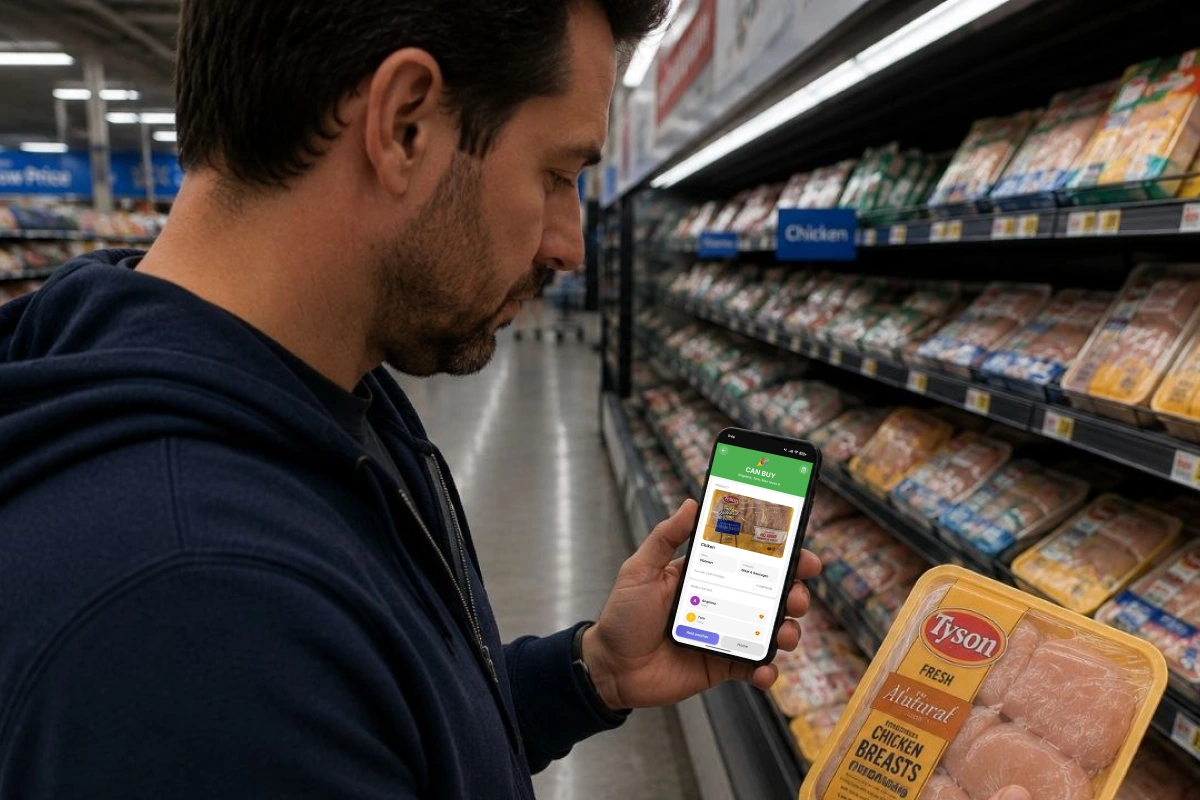
When your AnyList says "chicken" — Favory tells you which chicken. When your partner goes shopping without you — they already know what works.
For now, Favory doesn't replace AnyList for meal planning — but recipe import and meal planning are coming. What it solves today is what meal planning apps can't: the memory of which specific products work for which specific people.
AnyList vs Favory
| Feature | AnyList | Favory |
|---|---|---|
| Recipe import | ✅ | Planned |
| Meal planning | ✅ | Planned |
| Shared grocery list | ✅ | ✅ basic |
| Per-family-member profiles | ❌ | ✅ |
| Product ratings | ❌ | ✅ |
| "Don't buy again" memory | ❌ | ✅ |
| Barcode scanner | ❌ | ✅ |
| Baby food tracking | ❌ | ✅ |
| Available on iOS and Android | ✅ | ✅ |
| Free tier | ✅ limited | ✅ |
| Premium | $14.99/year | — |
How to choose
You need a meal planner and automatic list from recipes: AnyList or Paprika. They do this better than anything.
You need a simple shared list without recipe overhead: OurGroceries or Bring!
You already have AnyList for planning, but your partner keeps buying the wrong brand, your child refuses half the ingredients you bought, or you need to track what your baby has already tried: Favory — separately or alongside AnyList. They solve different problems and don't duplicate each other.
Questions parents ask